
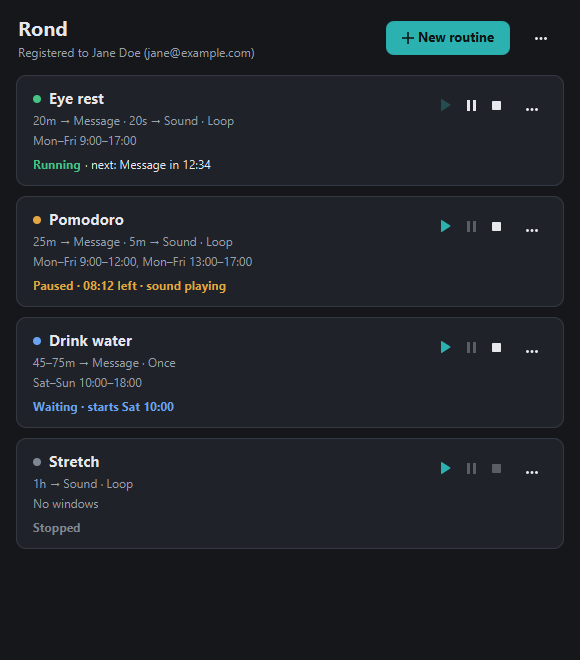
How a routine works
A routine is a chain of steps. Every step waits, then does one thing.
Wait
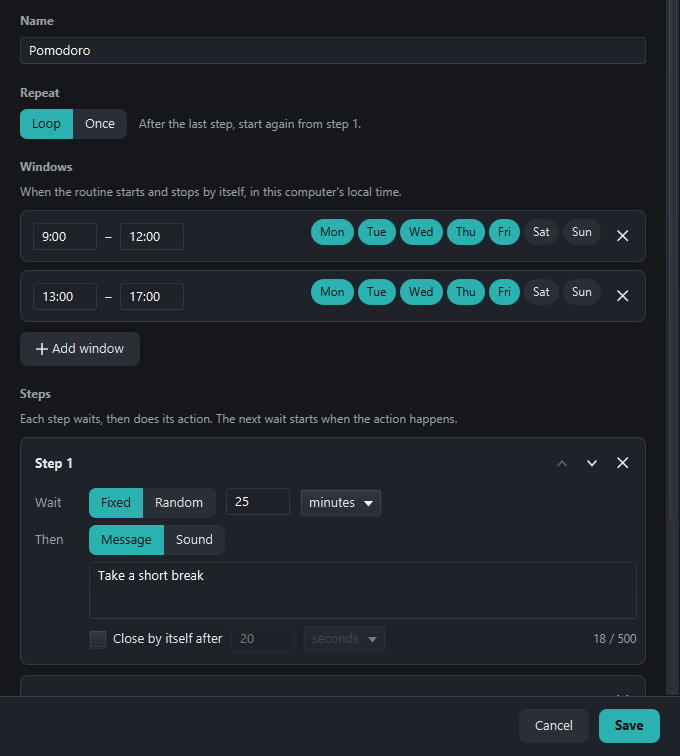
A fixed time — from one second to 24 hours — or a random one between two limits, so a reminder can't become background noise. The next wait starts the moment the action happens.
Act
Show a full-screen message, play one of the built-in sounds, or both at once — the sound once, or on a loop until you stop it.
Repeat — or don't
Loop starts again from step 1 after the last one; Once runs the chain a single time and then waits for the next window.
Only when you want it
Give it time windows — say Mon–Fri 9:00–17:00, plus a weekend afternoon. It starts fresh when a window opens and stops the moment it closes. Or leave it without windows and press Play.
Routines people build in a minute
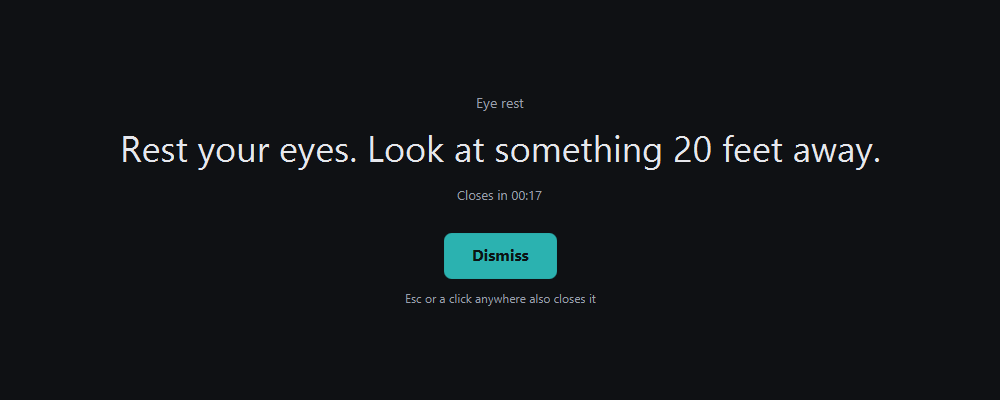
- 20-20-20 eye rest — every 20 minutes, “Look 20 feet away”; 20 seconds later, a chime. Loop, during work hours.
- Pomodoro — 25 minutes, “Take a short break”; 5 minutes, a bell. Loop, 9–12 and 13–17.
- Move around — a random 40 to 60 minutes, then “Stand up and walk for two minutes”. Loop, all day.
- Evening wind-down — 30 minutes after 21:30, a singing bowl; a minute later, “Screens off”. Once a night.
Small app, carefully made
Reminders you can't miss
Full screen, on top of everything, on every monitor. A click in the first moment is ignored, so you can't close one by accident mid-click.
Gentle built-in sounds
Chime, bell, singing bowl, birds, gong and more — listen to each one in the editor before you pick it. A looping sound stops when you say so.
As many routines as you like
They run side by side, each on its own schedule. Play, pause and stop each one — a paused routine picks up with exactly the time it had left.
Lives in the tray
Starts with your computer, hidden. The tray icon shows what's next and has every routine's controls, “Stop sound” and “Pause all” one right-click away.
Polite after sleep
Close the lid for an hour and Rond won't greet you with a pile of old reminders: anything it missed is skipped, and each routine carries on from where it would be.
Private by design
Your routines stay on your computer. No account, no tracking. Rond only goes online once a night to look for updates — and, every few months, to re-confirm your purchase.
Free 5-day demo
Everything works, with one routine. When the five days are up the demo stops and its routine is removed; buy before then and you simply carry on.
Your email is your licence
No product key to lose. Activate with the email you paid with, on every computer you use. How activation works.
One-time purchase
No subscription. Updates are included: Rond tells you when one is out, and the launcher installs it. Secure checkout by Stripe.
System requirements
- Windows 10 or 11, 64-bit
- 84 MB download
- No administrator rights needed
- Works offline; internet to install, activate and update